WPF 文字列リソースをXamlから利用する
[WPF Tips]


1.状況
XAMLから、リソースに設定した文字列を使用したい。
2.対応
2.1 アプリケーションのPropertiesの配下に、Resource.resx が存在する。
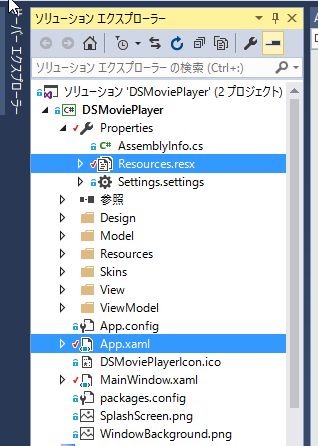
2.2 App.xaml を編集し、Application.Resource に resource エントリーを追加
xmlns:prperties 要素も追加
<Application x:Class="DSMoviePlayer.App"
             xmlns="http://schemas.microsoft.com/winfx/2006/xaml/presentation"
             xmlns:x="http://schemas.microsoft.com/winfx/2006/xaml"
             xmlns:vm="clr-namespace:DSMoviePlayer.ViewModel"
             xmlns:d="http://schemas.microsoft.com/expression/blend/2008"
             xmlns:mc="http://schemas.openxmlformats.org/markup-compatibility/2006"
             xmlns:ignore="http://www.galasoft.ch/ignore"
             StartupUri="MainWindow.xaml"
             xmlns:properties="clr-namespace:{アプリケーション名}.Properties"
             mc:Ignorable="d ignore">

    <Application.Resources>
        <!--Global View Model Locator-->
        <vm:ViewModelLocator x:Key="Locator"
                             d:IsDataSource="True" />
        <properties:Resources x:Key="resources" />
    </Application.Resources>

</Application>
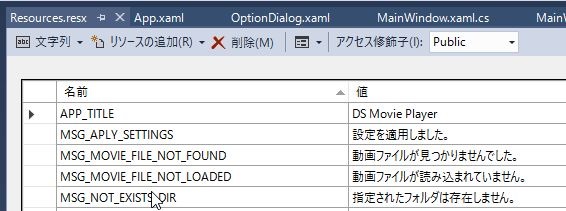
2.3 文字列リソースのアクセス修飾子を Public にする
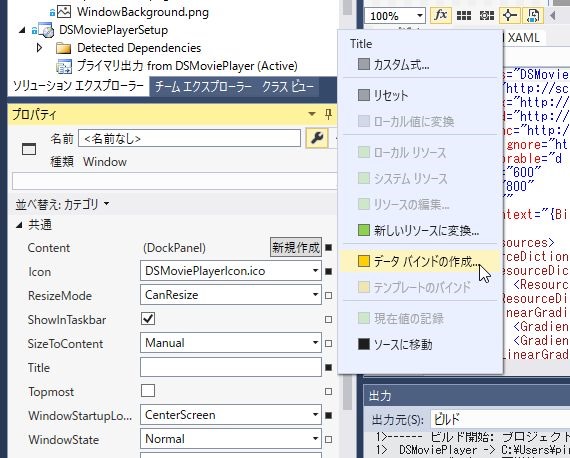
2.4 バインドしたい項目のプロパティ(今回はWindow.Title)から、データバインドの作成を選択
2.5 ダイアログで追加した、App.xaml -resources を選択、カスタムにチェックを入れ、パスに文字列リソースのキーを入力
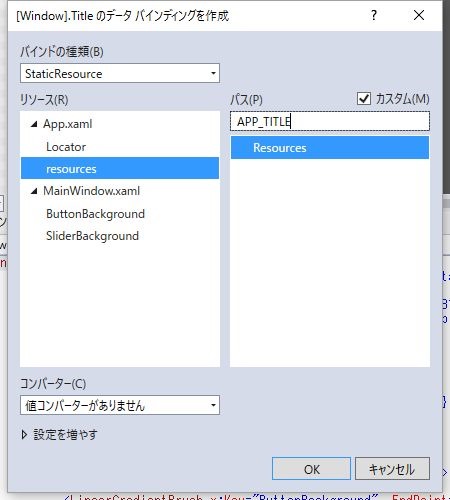
以下のようなコードが自動生成される。
    <Window.Title>
        <Binding Path="APP_TITLE" Source="{StaticResource resources}"/>
    </Window.Title>
2.6 表示される
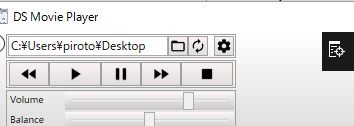
めでたし。