Windows10 Pro + Hyper-V で Vagrant 2.1.1 switchidエラー対応


windows 10 Pro + hyper-v で、
vagrant up –provider=hyperv
としたところ、以下のエラー
PS C:\workspaces\vm\centos7> vagrant up --provider=hyperv
Bringing machine 'default' up with 'hyperv' provider...
==> default: Verifying Hyper-V is enabled...
==> default: Importing a Hyper-V instance
    default: Cloning virtual hard drive...
    default: Creating and registering the VM...
An error occurred while executing a PowerShell script. This error
is shown below. Please read the error message and see if this is
a configuration error with your system. If it is not, then please
report a bug.

Script: import_vm_xml.ps1
Error:

C:\Programs\Vagrant\embedded\gems\2.1.1\gems\vagrant-2.1.1\plugins\providers\hyperv\scripts\import_vm_xml.ps1 : パラメ
ーター名 'switchid' に一致するパラメーターが見つかりません。
発生場所 行:1 文字:327
+ ... achines/default/hyperv/Virtual Hard Disks/disk.vhd' -switchid 'c08cb7 ...
+                                                         ~~~~~~~~~
    + CategoryInfo          : InvalidArgument: (:) [import_vm_xml.ps1]、ParameterBindingException
    + FullyQualifiedErrorId : NamedParameterNotFound,import_vm_xml.ps1
Hyper-VでVagrant upできない人はこれを見てみて (Vagrant 2.1.1対応方法更新しました)
の対応方法に従い、レジストリを修正
コンピューター\HKEY_LOCAL_MACHINE\SYSTEM\ControlSet001\Services\vmsmp\parameters\SwitchList
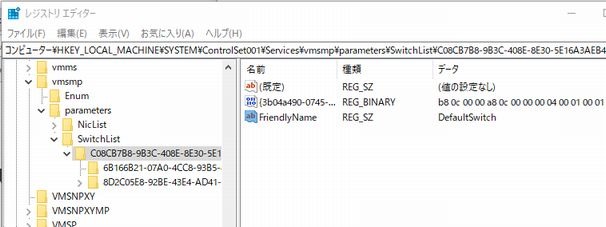
するも、エラー修正されず。。。
https://github.com/hashicorp/vagrant/issues/9774
上記スレッドに解決しそうなコメントがあったので、試す。
以下のスクリプトを編集
{インストールディレクトリ}Vagrant\embedded\gems\2.1.1\gems\vagrant-2.1.1\plugins\providers\hyperv\scripts\import_vm_xml.ps1
ダミーパラメーターを追加
[string]$switchid
スイッチ名を先頭行に指定(値は、上記レジストリエディタで指定した値)
$switchname = “DefaultSwitch”
Param(
          :
    [string]$enable_virtualization_extensions=$False,
    [string]$switchid
)
$switchname = "DefaultSwitch"
再度 vagrant up –provider=hyperv
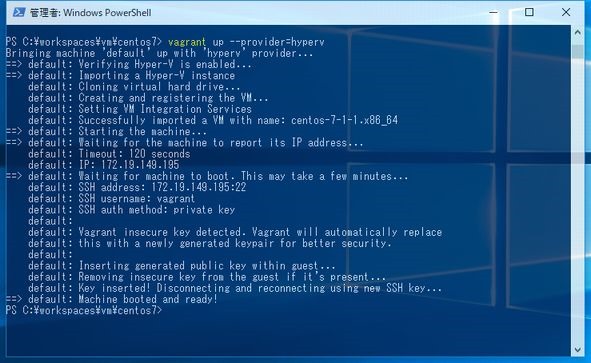
成功した!
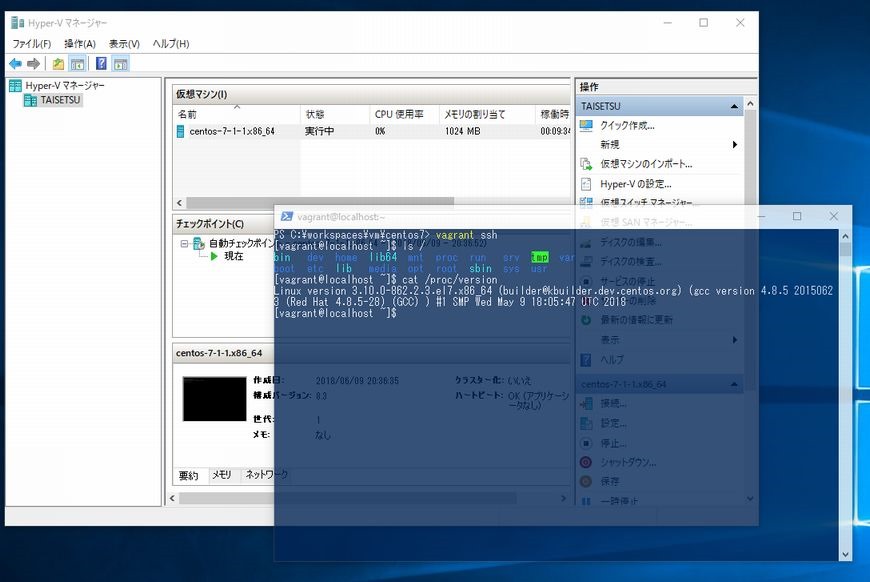
SSHでの接続もOK