Xamarin.Forms ポップアップの表示と Http通信


1.全体
GAEにSpring Boot アプリケーションを配置し、WebアプリとしてVuetifyを構成するとともに、クライアントアプリケーションをXamarin.Forms を利用して作成したい。
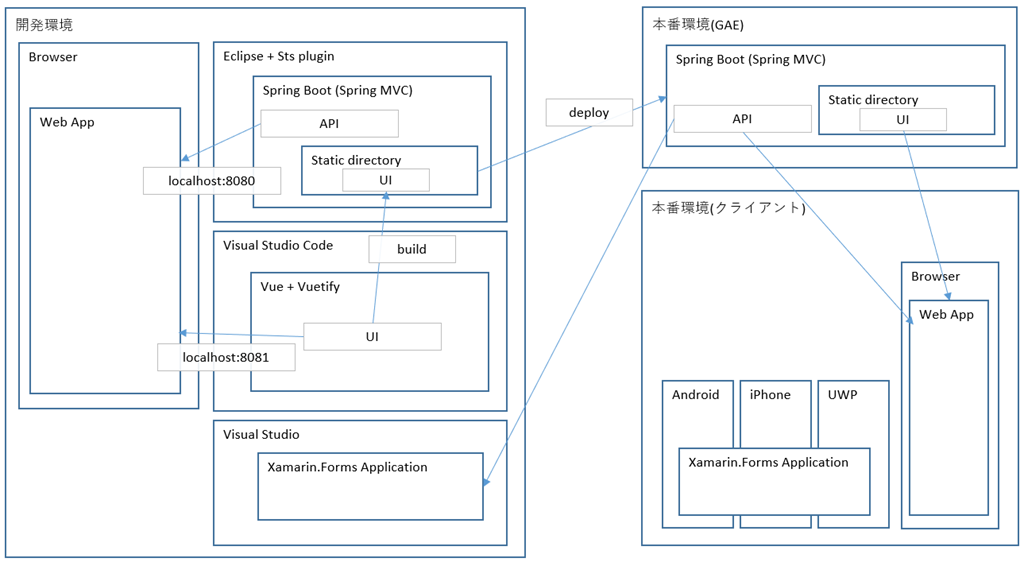
XamarinプロジェクトをVisual Studio 2019 に作成、iOSのエミュレーターでアプリを動かすことが出来るようになったので、HTTP通信でGAEにデプロイしたAPIを呼び出し疎通確認を行い、アラートダイアログに結果をポップアップさせる。
2.準備
Viusal Studio2019 のXamarinプロジェクトのテンプレートで作成された、Aboutページのボタンに、API呼び出しの処理を仕込もう。
https://docs.microsoft.com/ja-jp/xamarin/xamarin-forms/app-fundamentals/navigation/pop-ups
Visual Studioのテンプレートプロジェクトでは、ボタンの処理は、ViewModelに実装されているが、ポップアップ表示用の、DisplayAlert()、DisplayActionSheet() ともに、Pageクラスのメソッドになっているため、ViewModel側からそのままでは参照できない。
まず、ViewModel(AboutViewModel)側に、Pageを格納するプロパティを用意。
        public Page Page
        {
            get;
            set;
        }
AboutPage.xmal を見ると、以下にViewModelの参照を保持しているようなので、
    <ContentPage.BindingContext>
        <vm:AboutViewModel />
    </ContentPage.BindingContext>
AboutPage.xmal.cs のコンストラクタで参照を渡す。
        public AboutPage()
        {
            InitializeComponent();

            if (this.BindingContext is AboutViewModel)
            {
                (this.BindingContext as AboutViewModel).Page = this;
            }

        }
3.APIの呼び出し
https://docs.microsoft.com/ja-jp/xamarin/xamarin-forms/data-cloud/consuming/rest
まずはシンプルに疎通させる。セキュリティやらは追って確認。
Aboutページのボタンが押されたら、XamarinのWebページに遷移するところを置き換え、hello APIを呼び出し、結果をポップアップ表示させる。
    public class AboutViewModel : BaseViewModel
    {

        public AboutViewModel()
        {
            Title = "About";

            OpenWebCommand = new Command(RestTest);
        }

        private async void RestTest()
        {
            string uri = "https://favophrase.com/api/hello";

            HttpClient client = new HttpClient();
            var response = await client.GetAsync(uri);
            if (response.IsSuccessStatusCode)
            {
                var content = await response.Content.ReadAsStringAsync();
                bool answer = await this.Page?.DisplayAlert("REST API hello.", content, "Yes", "No");

                Debug.WriteLine("Answer: " + answer);
            }
        }

        public ICommand OpenWebCommand { get; }
        public Page Page
        {
            get;
            set;
        }
    }
4.結果
シンプルなテストコードだが、上記の1つのコードが、Anroid、iPhone、UWPアプリのエミュレータ(UWPについては、実機だが)で想定通り機能した。なかなか感動的。
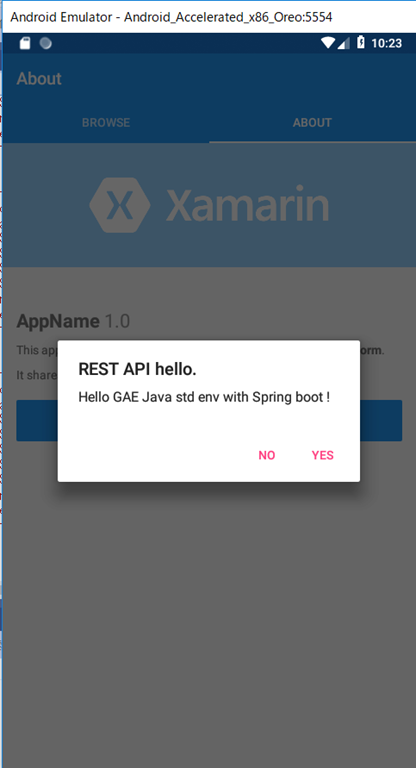
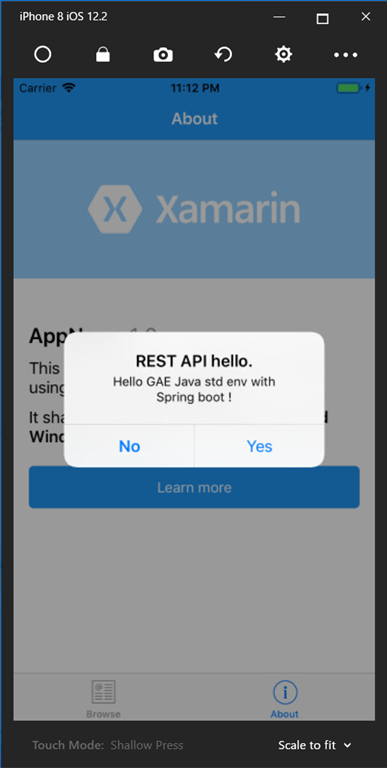
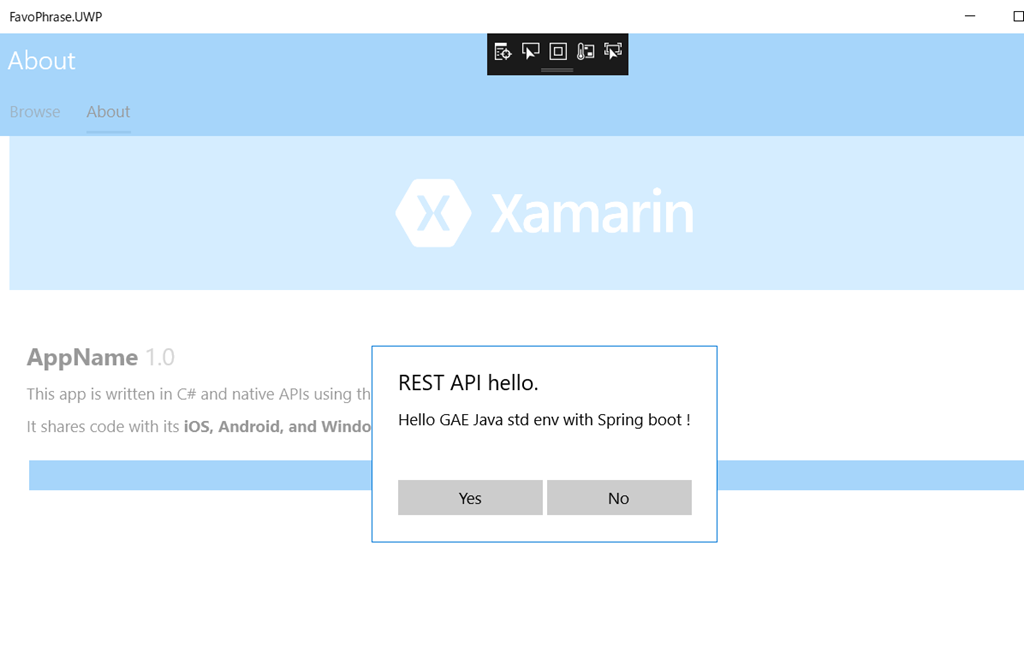
この辺は、あとで確認する。
https://www.xlsoft.com/jp/products/xamarin/web_services.html
https://docs.microsoft.com/ja-jp/xamarin/ios/app-fundamentals/ats
https://docs.microsoft.com/ja-jp/xamarin/xamarin-forms/data-cloud/authentication/rest
https://docs.microsoft.com/ja-jp/aspnet/core/mobile/native-mobile-backend?view=aspnetcore-2.2
https://developer.xamarin.com/samples/xamarin-forms/WebServices/TodoREST/